 Spendella
Keep spending within your budget.
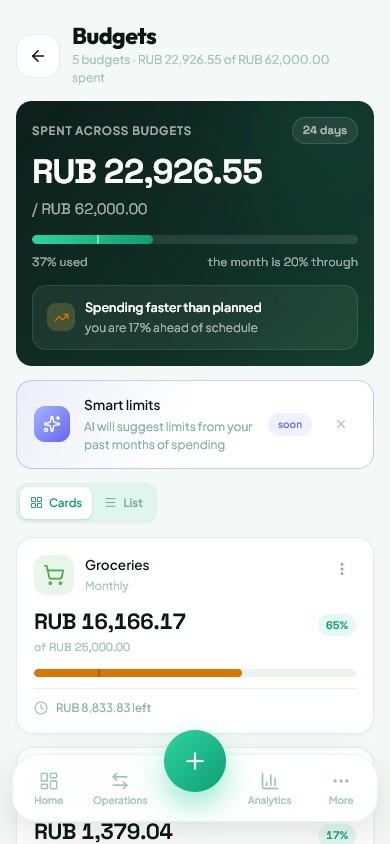
Set limits for groceries, cafés and other categories. Keep an eye on spending while there is still time to adjust.
Free forever · 7 days of Full as a gift
Keep your accounts, spending and savings in one app. Manage your budget, plan purchases and put money towards your goals.
01 / See how it works
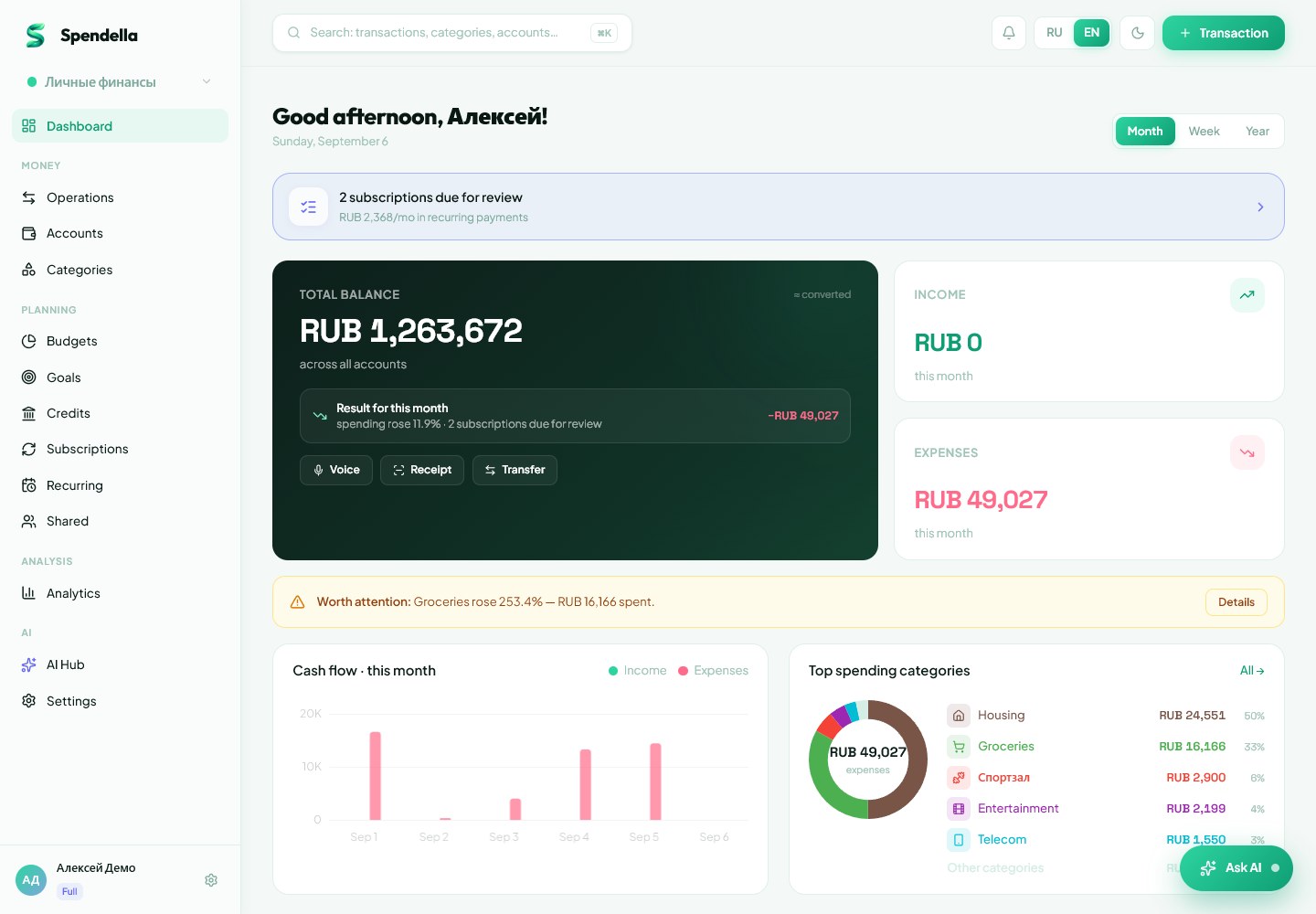
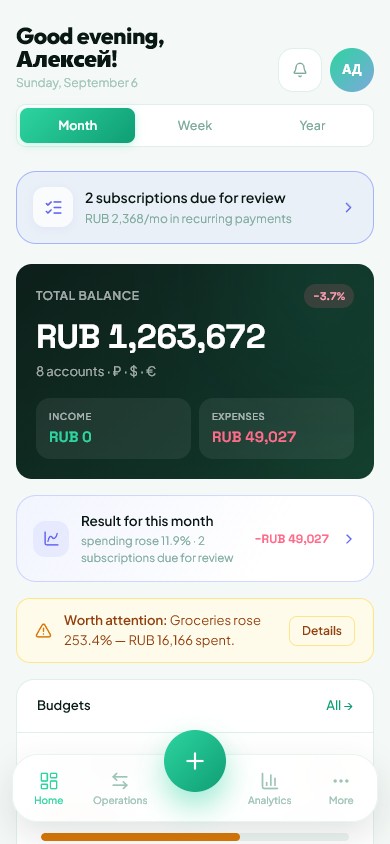
Check account balances, compare spending by category, track your savings — and ask the AI assistant about your own numbers.

02 / Budgets and goals
Set limits for groceries, cafés and other categories. Keep an eye on spending while there is still time to adjust.
Set a goal for a holiday, a major purchase or an emergency fund. Choose a target amount, add contributions and track your progress.

03 / Separately and together
A space is a separate ledger with its own accounts, categories and budgets. Switch in one tap: no money moves, no reports mix.
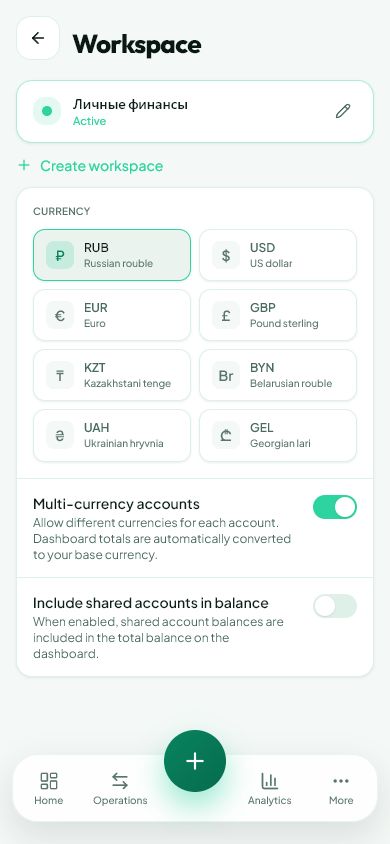
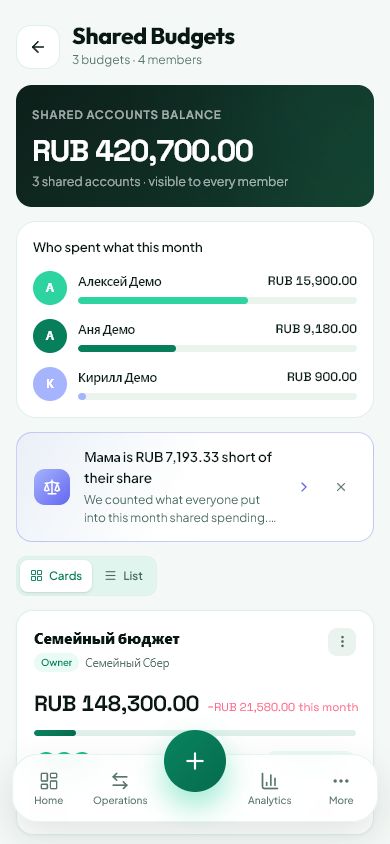
A joint account, limits, a goal and loans — for everyone. Each member has their own account and role: owner, editor or viewer. See who spent what.
Automation and AI
Rules and AI categorisation take the repetitive work away, and a big decision can be checked with a calculation first. Review the result and choose what to apply.
Set a merchant rule so new uncategorised transactions go where they belong.
“Local market” → GroceriesSee how a purchase, savings or extra income could affect your goals.
Calculate first, decide afterwardsEnter an extra payment and compare debt order, duration and interest.
Higher rate or smaller debt: which comes first?Start from past spending, review a suggestion and choose a suitable limit.
A budget based on your habitsYour own category rules work without AI. Detection, limit suggestions, What if and payoff planning are on Extended and Full. AI availability and cost are shown before running the relevant tool.
04 / AI instead of manual entry
Understand your spending and keep track of budget limits. Ask questions about your finances and add transactions by voice, receipt or bank statement.
Your first 7 days include AI as a gift. After that, AI is available on Extended and Full. ↗AI shows the picture your data makes and explains the numbers. It does not tell you where to invest or what to cut: the decision stays yours.
“Coffee, 340 rubles, from my card.” AI identifies the amount, account and category.
Upload a photo. Spendella extracts the purchase details for you to check and save.
Bring your transaction history from a file and start making sense of your spending.
ANDROID · YOUR CHOICE
Choose your banking apps — Spendella finds purchases in their notifications.
No access to SMS history. Recognised sensitive details are removed before sending.
You choose which apps to read. Turn it off whenever you want.
Set up: a screenshot guide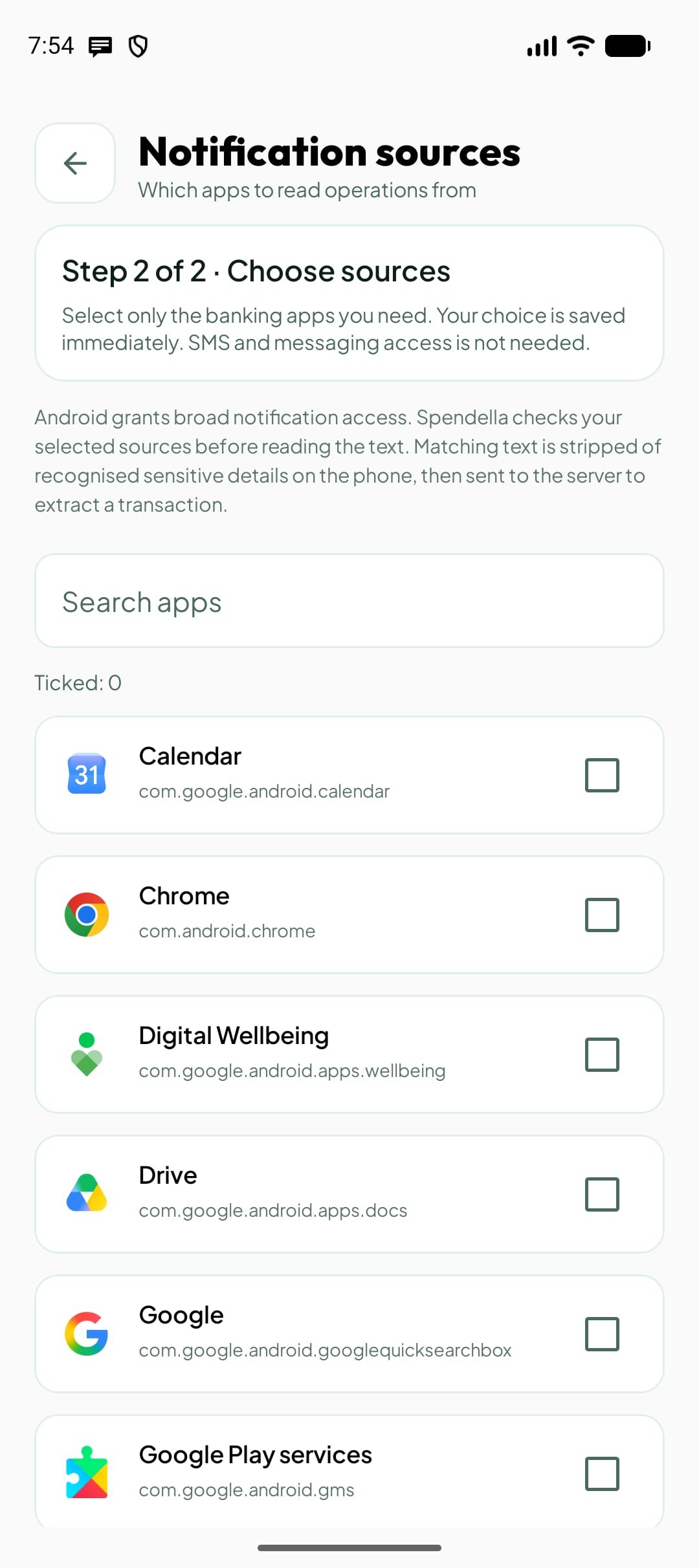
05 / Pricing
Basic gives you unlimited personal tracking. Extended adds automation, planning tools and AI. Full adds shared finances and more AI capabilities.
Two accounts, a budget and everyday expense tracking.
Free, with no time limit
Get started freeTrack your money with unlimited accounts, transactions, loans, budgets, goals and subscriptions.
1990 ₽ charged once per year
Choose BasicSave time with automation, goal and loan planning, and AI assistance.
4990 ₽ charged once per year
Choose ExtendedShared budgets, more AI operations and automatic reports.
9990 ₽ charged once per year
Choose FullWhen two accounts and one budget are no longer enough: unlimited accounts, budgets, goals and subscriptions, recurring payments, forecasts and period comparisons.
Spend less time sorting expenses: Spendella finds subscriptions and recurring payments in your history and suggests category rules and budget limits. Explore what-if scenarios for goals and calculate a loan repayment plan. AI also helps with receipts, voice entry, statements and questions about your finances.
For managing money together: shared budgets, separate workspaces and more AI operations.
Payment under the public offer; personal data — per the privacy policy.
Always within reach
Log an expense after a purchase or check your budget on the go. Sign in to your account to pick up where you left off on another device.
Before you get started
About the trial, features and data protection.
Knowledge base ↗Spendella is free with no time limit — Free is a full plan, not a trial. On top of it, every new account gets 7 days of Full as a gift: AI chat, receipt recognition, voice entry, statement imports and shared budgets. Includes 35 AI operations, up to 10 per day. Turn it on with one tap after signing up and verifying your email. No card needed, available once. When the days end, everything you added stays visible and you continue on the Free plan.
Two accounts, unlimited transactions, one budget and spending analytics. Use the free plan with no time limit and no credit card.
Extended includes 150 AI operations per month; Full includes 500. Voice entry, receipt recognition and imports help prepare your entries. Check the result before saving. Free and Basic do not include AI.
Yes. A shared budget is a separate space with a joint account, limits, a goal and loans. Every member has their own account and role — owner, editor or viewer — and you can see who spent what. Personal finances stay in your personal space. Anyone can join by invitation on any plan; creating shared budgets is part of Full.
No. You can enter transactions manually. Plans with AI also support receipt recognition, voice entry and bank statement imports from a file.
In a browser on your computer or phone, and in the Android app — install it from RuStore or download the APK from the website. Sign in to the same account to access your data across devices.
A paid plan runs until the end of the paid period and does not renew by itself unless auto-renewal is set up. If it is, turn it off in Billing and paid features stay until the period ends. See the public offer for payment and refund terms.
The connection is protected by HTTPS, passwords are stored as hashes, and account names, descriptions and notes are encrypted in the database. Access to a shared budget is limited by member roles, active sessions are visible in settings and any of them can be ended. AI requests go only through our server: card and account numbers and phone numbers are stripped from the text first, and bank notifications also lose the balance line. The model never receives your password or access to your account — only the text needed for the answer. Processing happens on servers in Russia, and your data is not used to train the model. You can delete your account and all its data yourself. More is in the privacy policy. Privacy policy ↗
SPENDELLA
When the gift days end, nothing is deleted: everything you added stays visible and you keep working on the Free plan. Go paid only if you want to.
Get started free Free with no time limit. Your first 7 days come with Full features as a gift. No credit card needed.