
Spendella / Knowledge base
Delete your Spendella account
Save needed data and check billing first. Account deletion is not required to sign out normally.
This guide covers the free plan — setting it up yourself takes a minute.Get started free →
Updated 7 September 2026
Where to find it
- On the website
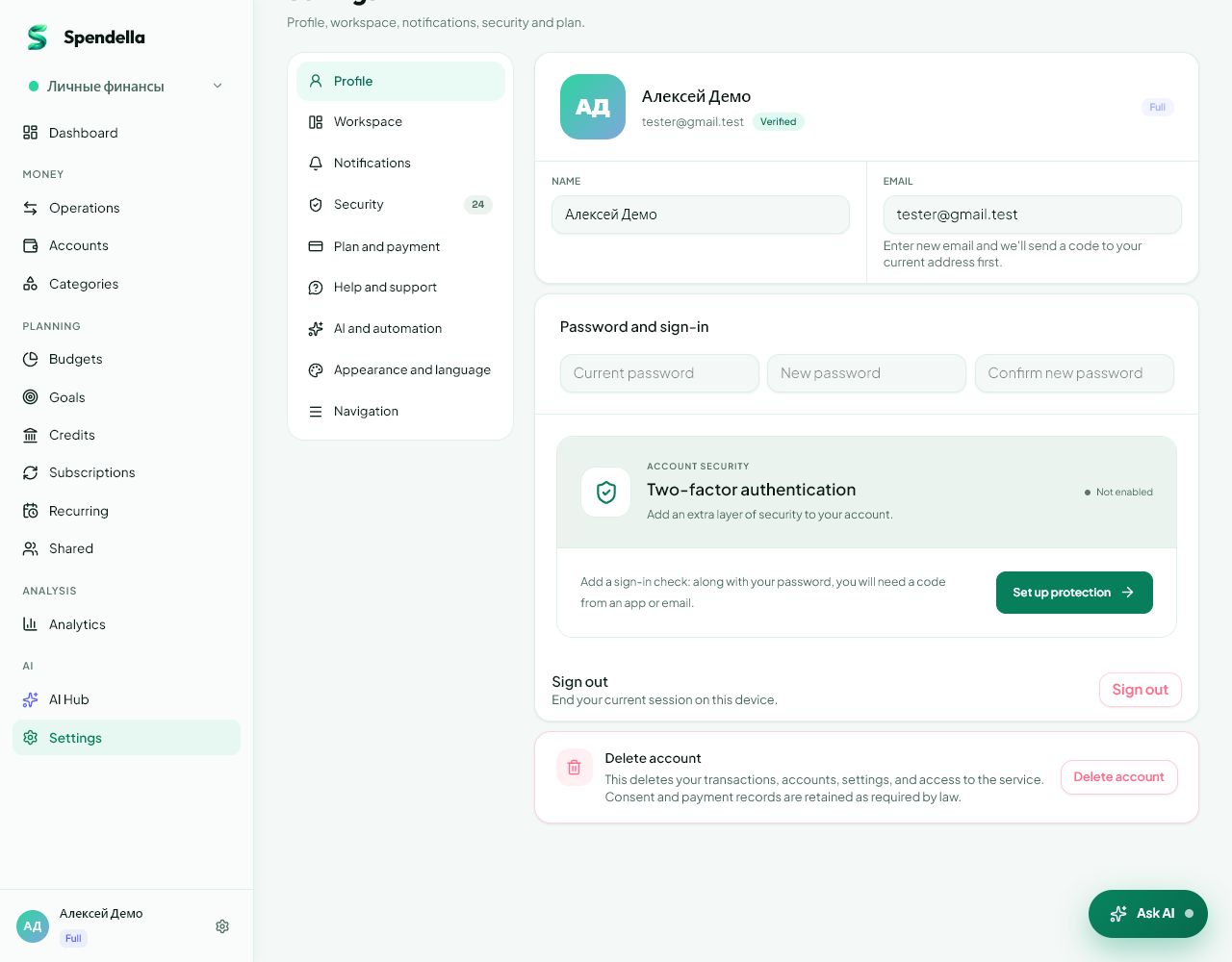
- Settings → Profile → account deletion.
- On Android
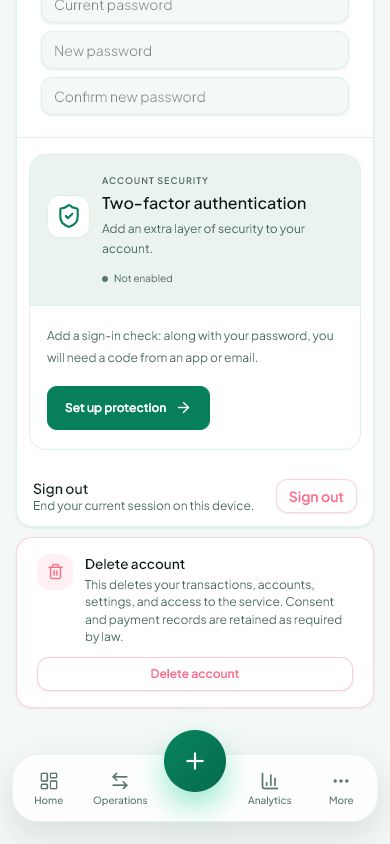
- More → Settings → Profile → account deletion.
Before you start
This deletes a service account, not one tracked bank account. Use Sign out to leave the app normally. Check plan renewal separately to prevent future payments.
What to do
- Export any transactions you need on the website.
- If you have a subscription, review renewal and where the purchase is managed.
- Open account deletion in Profile.
- Read the consequences shown in the warning.
- Enter the account email correctly in the confirmation field.
- Confirm only if you intend to stop using this account.
If something goes wrong
- Button disabled: compare the entered email with Profile.
- Only want to remove a card: use Accounts.
- A transaction export is not a complete backup that restores all account settings.
What is deleted and what stays
Account deletion is irreversible. Google Play asks for this to sit next to the instructions, so it is listed here.
- Deleted immediately: accounts and balances, transactions with their descriptions, categories and rules, budgets, goals, loans, subscriptions, recurring payments, spaces, drafts from notifications and imports, AI chat history, support requests, notification tokens, active sessions and settings.
- Payment records stay, unlinked from you: bookkeeping and tax law require them, and they are kept for up to 5 years.
- Technical AI request logs stay without the content of the requests — only the model, volume and cost. Other technical logs are kept for no longer than a year.
- If you took part in someone else's shared budget, the transactions you created there stay with its owner without an author.
- If you created the shared budget, it is deleted in full along with everyone else's membership.
Delete some data without deleting the account
The account is not always what you want gone: almost everything can be removed piece by piece while you stay signed in.
- Transactions, accounts, categories, budgets, goals, loans, subscriptions and recurring payments — one record at a time in its own section.
- Drafts from bank notifications and imports — in Drafts.
- AI conversation history — in the chat, whole sessions at a time.
- Activity log and the notification list — in security settings and the bell.
- Active sign-in sessions — in security settings, all at once or one by one.
- Notification tokens and two-factor authentication — in Profile and security settings.
- If you cannot sign in, write to info@spendella.com from the account address and say what to delete.
What you should see
The account and the data tied to it are deleted, and the little the law requires us to keep stays unlinked from you. The privacy policy describes the full procedure.
Everything above is free.
No time limit, no card. Sign up and we open the section this guide is about.
Still need help?
Tell us which step you got stuck on. Support can help you work through it.
Contact support ↗Contact us without signing in