
Spendella / Knowledge base
Protect your account and data
Use an extra sign-in check, review sessions and understand what data is needed.
This guide covers the free plan — setting it up yourself takes a minute.Get started free →
Updated 7 September 2026
Where to find it
- On the website
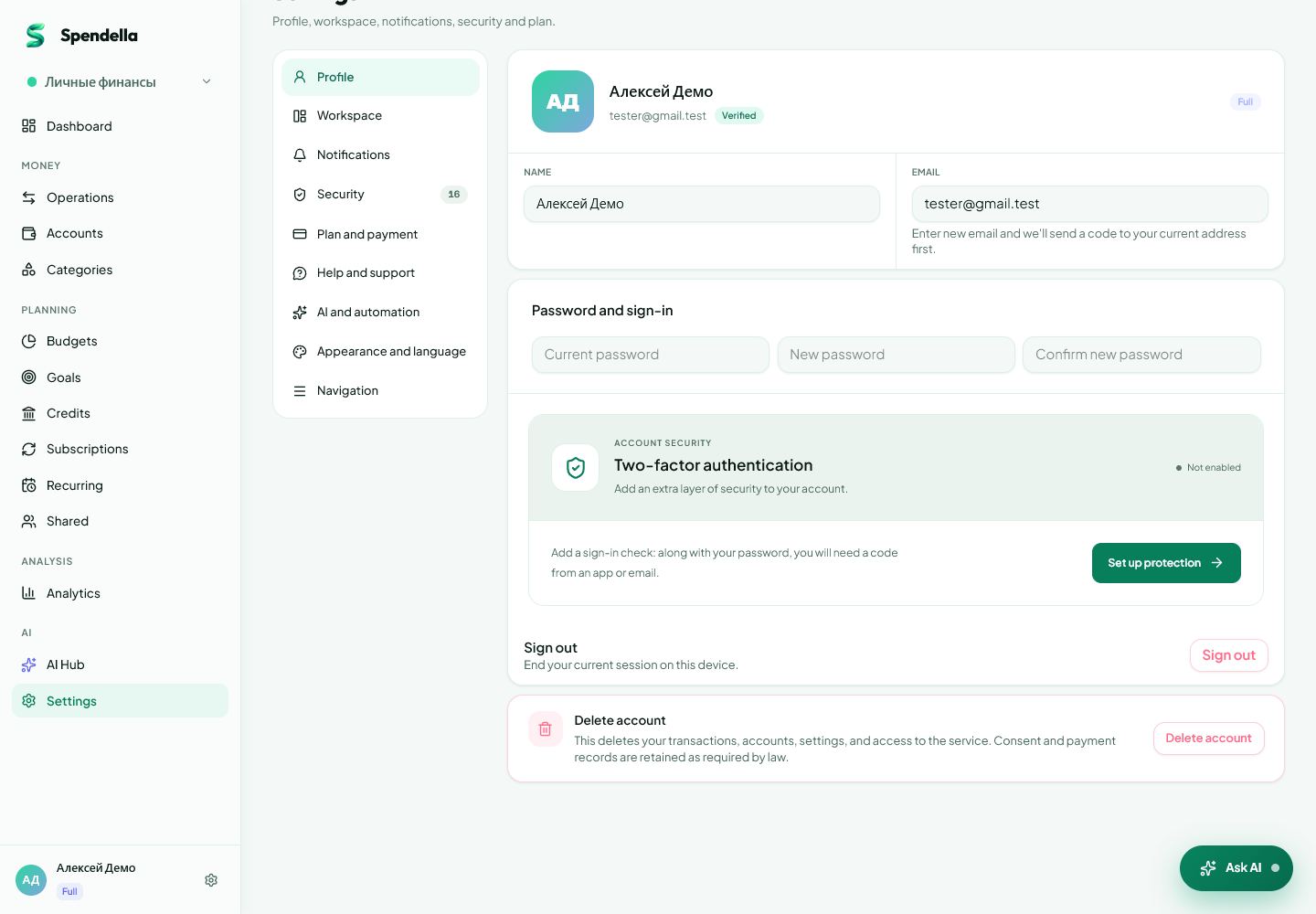
- Settings → Profile for two-factor authentication; Security for sessions.
- On Android
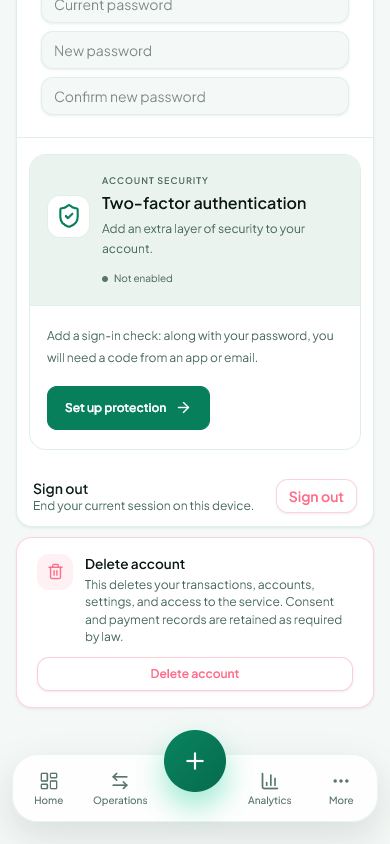
- More → Settings → Security.
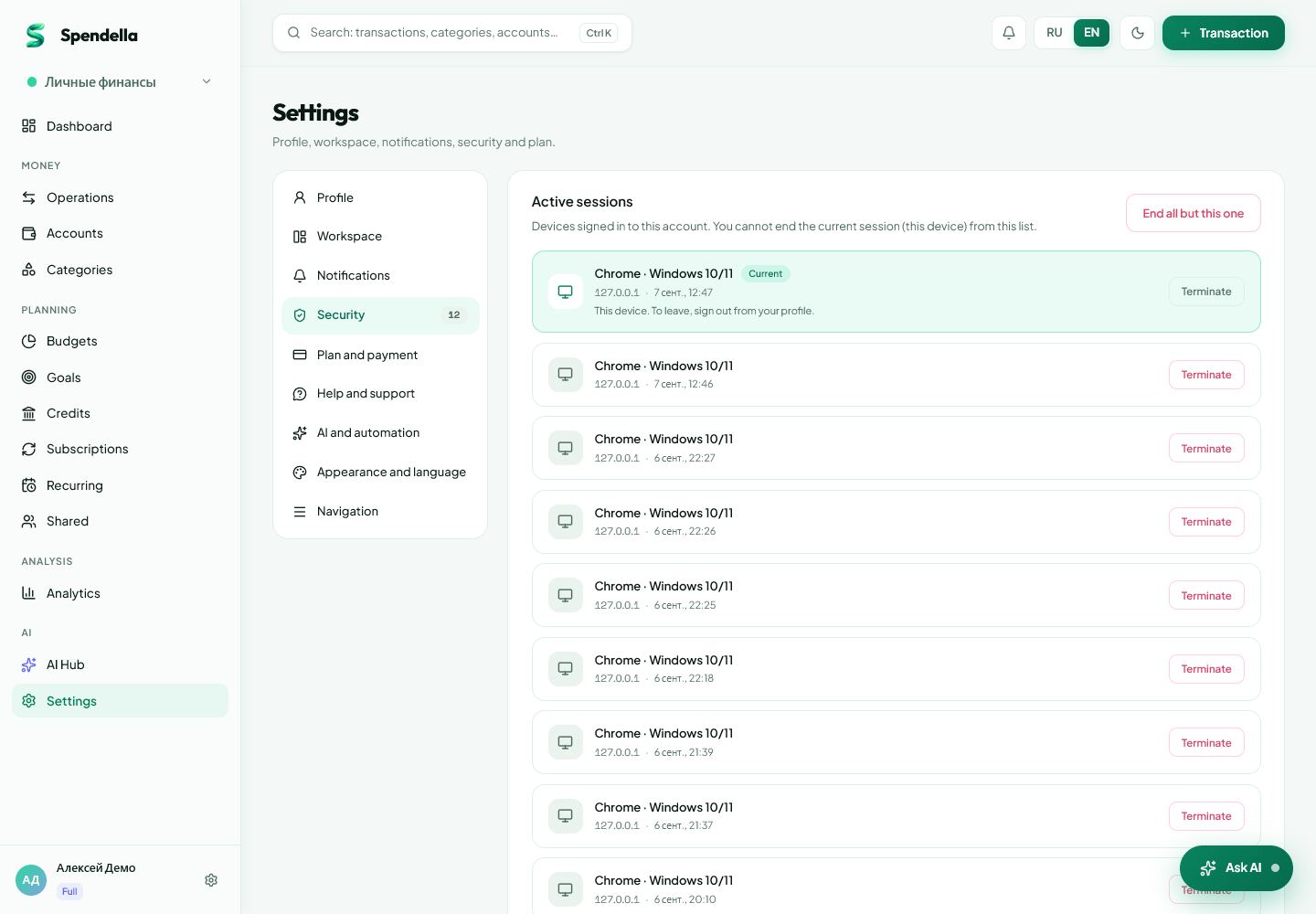
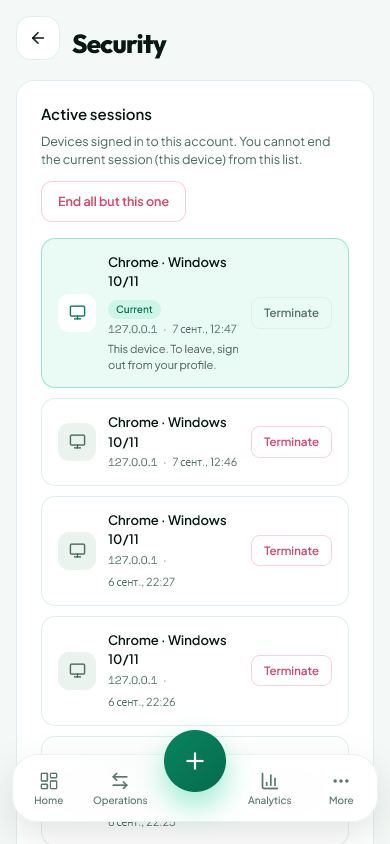
Enable two-factor authentication
On the website, open Settings → Profile; on Android, open Settings → Security. Two-factor authentication adds a check to regular sign-in. Choose an available method and complete setup by confirming a code.
- For an authenticator app, add the supplied key or QR code to your app.
- If you choose email, make sure you can access that mailbox.
- If setup provides recovery codes, store them separately from your phone. Never share login codes.
Review your devices
Security settings let you review sessions and end those you no longer need. If you do not recognise a device, end its session and change your password.
- Use a unique password for Spendella.
- On Android you can also enable app lock and biometrics if your phone supports them.
- App lock protects opening the app on that device; two-factor authentication helps protect signing into the account.
What AI needs to answer
Financial answers need financial information, such as amounts, categories and dates. In processed text and financial context, the service masks recognised card numbers, account numbers and phone numbers where it can do so without losing the meaning needed for the task.
- This reduces personal details in a request; it does not make every message or attachment fully anonymous.
- Do not add passwords, codes, passport details or unnecessary account information to the chat. Remove unneeded personal details before uploading an image.
- Reading bank notifications on Android is enabled separately and applies to the apps you select. The privacy policy contains the full data-processing terms.
What you should see
You can enable protection and review account access.
Everything above is free.
No time limit, no card. Sign up and we open the section this guide is about.
Still need help?
Tell us which step you got stuck on. Support can help you work through it.
Contact support ↗Contact us without signing in