
Spendella / Knowledge base
Sign out another device and review sign-ins
End sessions you no longer use or do not recognise.
This guide covers the free plan — setting it up yourself takes a minute.Get started free →
Updated 7 September 2026
Where to find it
- On the website
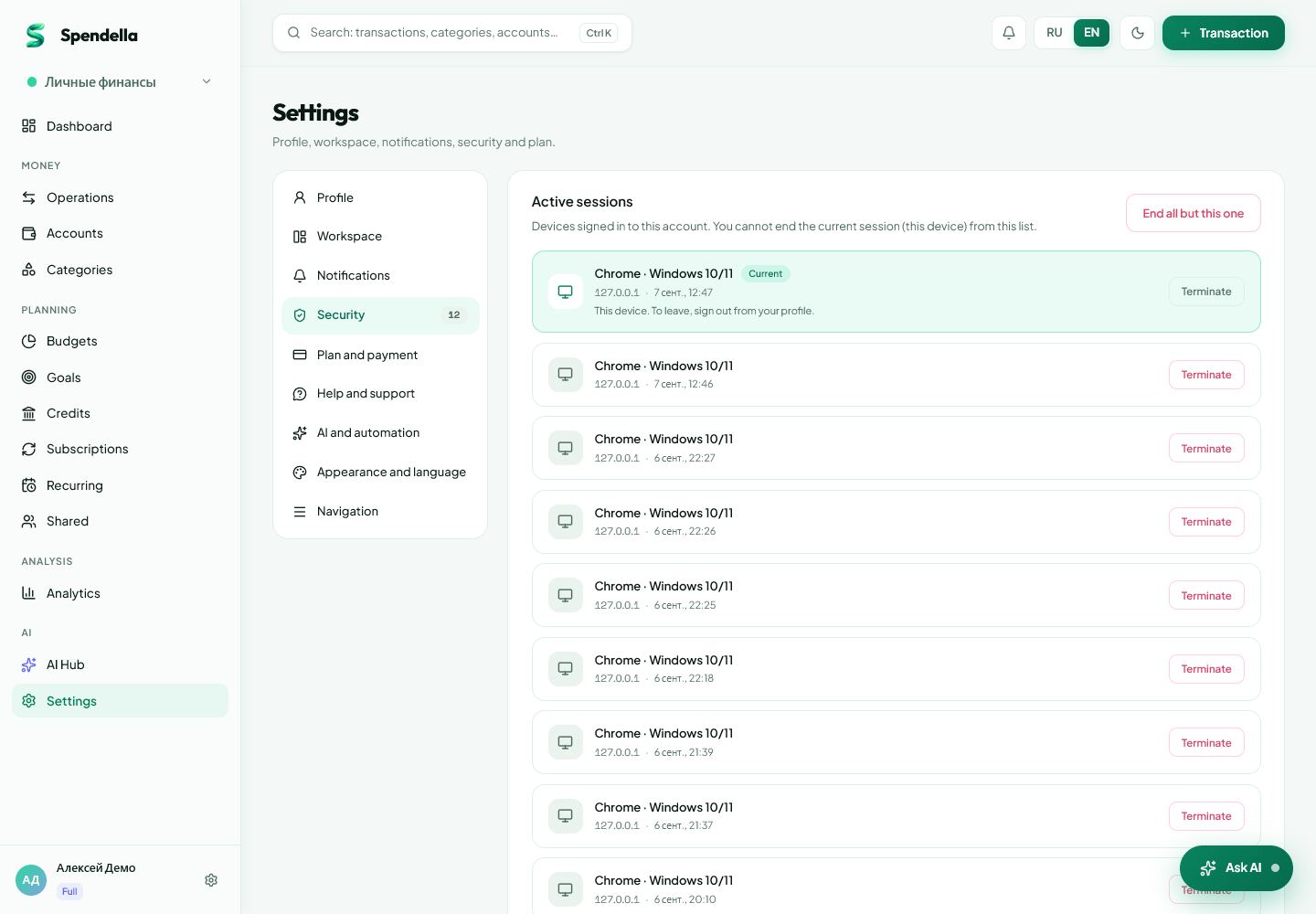
- Settings → Security → sessions and activity history.
- On Android
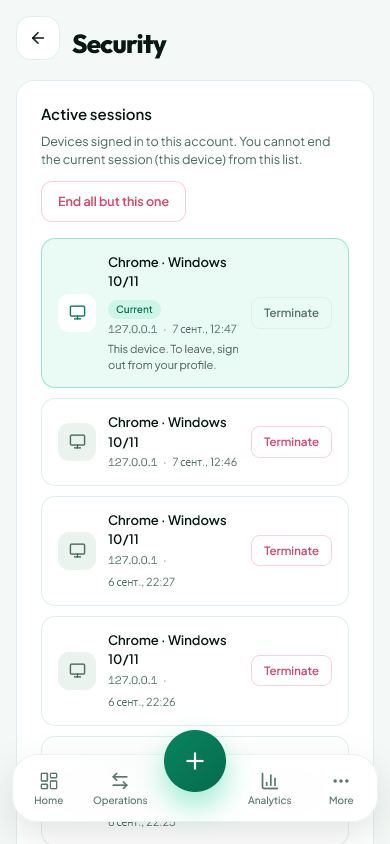
- More → Settings → Security → sessions and history.
Get started free and open this section Sign up in a minute, no card needed. This exact section opens right after.
01
Before you start
A session is a saved sign-in on a device or browser. One computer can have several sessions, for example in different browsers.
02
What to do
- Open sessions and identify the current device.
- Review times and available information for other sign-ins.
- End sessions on devices you no longer use, or use the option to end other sessions when appropriate.
- If a sign-in is unfamiliar, change your password and review two-factor protection.
- Check activity history to understand account events.
03
If something goes wrong
- Unfamiliar device name: compare the browser and sign-in time first.
- Clearing activity history does not end a session.
- Do not give support your password. Use the time and information shown in the session list.
What you should see
An ended session should no longer provide the previous access without signing in again.
Try it yourself
Everything above is free.
No time limit, no card. Sign up and we open the section this guide is about.
Still need help?
Tell us which step you got stuck on. Support can help you work through it.
Contact support ↗Contact us without signing in