
Spendella / Knowledge base
Understand destination accounts
Distinguish your own money from a recipient. A destination account should not increase your overall balance.
This guide covers the free plan — setting it up yourself takes a minute.Get started free →
Updated 7 September 2026
Where to find it
- On the website
- Accounts → add → Destination account.
- On Android
- More → Accounts → add account → destination option.
Get started free and open this section Sign up in a minute, no card needed. This exact section opens right after.
01
Before you start
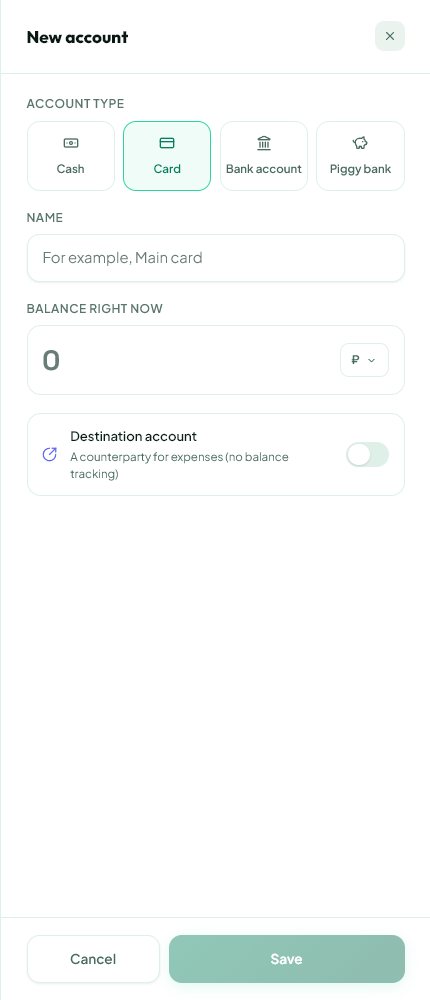
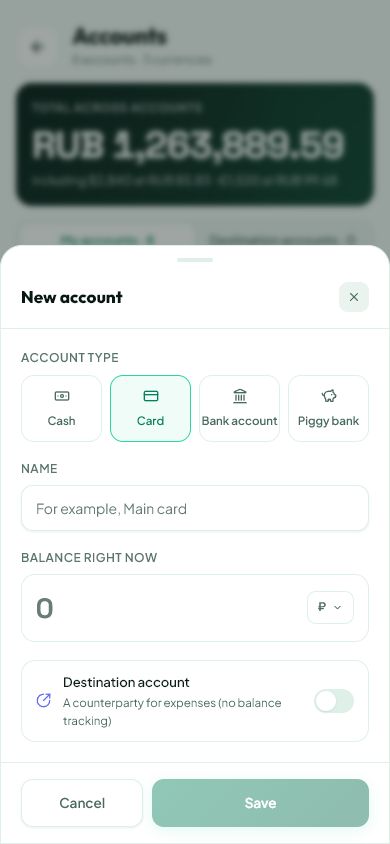
An ordinary account tracks your balance. A destination account represents a recipient or counterparty without tracking their balance. You do not need this mode for your own card or cash.
02
What to do
- Decide whether you are adding a place holding your money or a recipient.
- For your own card, create an ordinary account with currency and balance.
- For a recipient, enable Destination account and give it a clear name.
- Save and use it only in applicable transaction fields.
- If it is absent from payment source options, check whether it was created as a destination.
03
If something goes wrong
- A destination balance is not money available to you.
- Do not use a destination for your own savings card.
- If the type is wrong, review linked history before deleting or replacing the entry.
What you should see
The recipient is separate from accounts that track your available money.
Try it yourself
Everything above is free.
No time limit, no card. Sign up and we open the section this guide is about.
Still need help?
Tell us which step you got stuck on. Support can help you work through it.
Contact support ↗Contact us without signing in